When Mobile Signal Fails, Use RFID Charging Cards for UK Drivers & Fleets

Updated: Sep 29
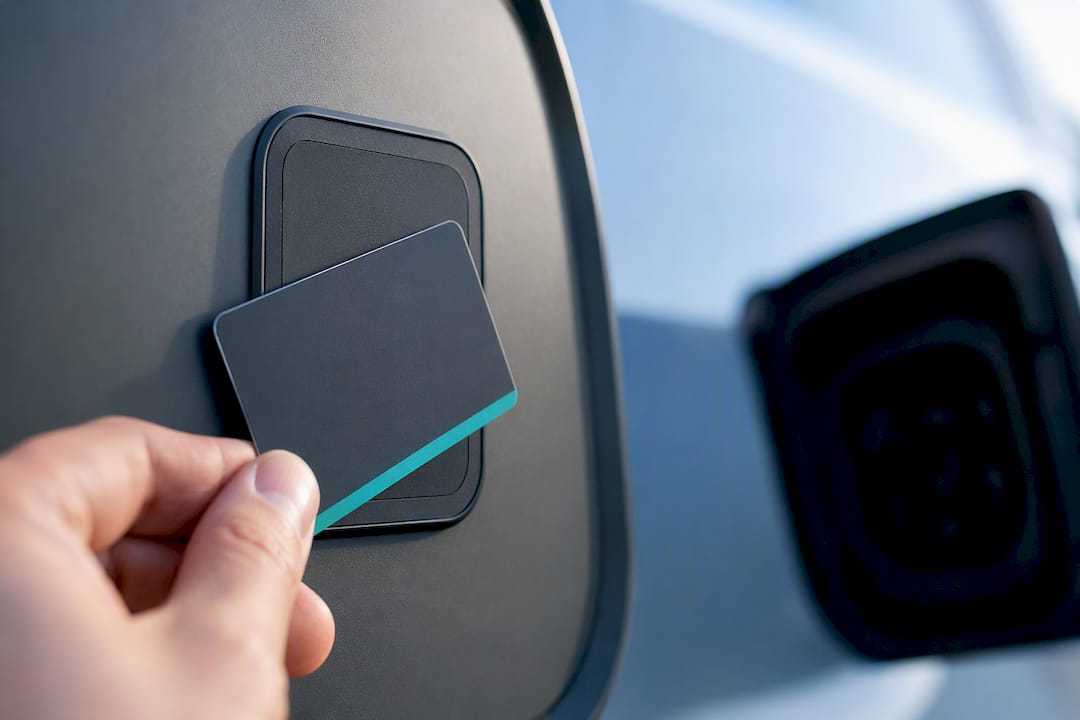
An RFID charging card is a tap-to-activate credential linked to a charging account, letting you start a public charge point without a phone signal or app. It matters most when you rely on workplace or fleet charging, or when you want a backup that works regardless of mobile coverage. Two reasons drivers carry one: guaranteed access when signal drops, and simpler billing for hosts who provision accounts to staff or fleet vehicles.
TL;DR:
RFID charging cards are best used in areas with poor mobile coverage or when centralized fleet billing and controlled access are required.
Compatibility depends on matching the card’s format with the charger’s hardware and checking roaming agreements for cross-network use.
Activation typically involves registering the card online and testing it at a low-stakes station before long trips.
Skimming risks are low, but users should treat RFID cards like bank cards by reporting loss and reviewing billing for unauthorized sessions.
Supporting providers like Swift Charging handle provisioning, replacement, and driver data management to ensure smooth workplace and fleet charging schemes.
Table of Contents
What an RFID charging card actually is
An RFID charging card is a contactless smart card, not a simple RFID tag. The difference matters: basic RFID tags just broadcast a fixed identifier, whereas contactless smart cards can hold a microcontroller and follow ISO/IEC 14443 standards for secure, short-range communication. Most charging cards on the market are the latter, sometimes issued as a keyfob instead of a card.
What actually moves the transaction along isn’t the plastic. It’s the unique identifier or token stamped onto that card, which gets provisioned to your charging account on the network’s backend. Tap the card, and the reader recognises that token, links the session to your account, and bills accordingly.
This is where RFID payment cards diverge from a contactless bank card. A bank card authorises a one-off payment; an RFID charging card authorises a session against an existing membership or fleet account, often with different tariffs, invoicing, and reporting attached. Some networks accept contactless bank cards directly at the charger, others require an app, and many still require an RFID card, particularly at workplace or destination sites.
How does an RFID card start a charging session?
Starting a session with an RFID charging card follows a consistent pattern across most networks, though the reader hardware varies slightly between operators.
Plug the connector into your vehicle first, before touching the card reader.
Select “RFID” or “Card” on the charger’s screen if prompted, rather than app or contactless payment.
Tap your card firmly against the marked reader panel and hold for a second or two.
Wait for the confirmation light, beep, or on-screen message before assuming the session has started.
Check your phone or the charger display for a countdown or ongoing session status.
Before any of that works, the card needs activating on the network’s app or web portal, tied to your name, vehicle, or fleet ID. EVgo’s help documentation is a useful reference for exactly this activation and tap sequence, and its troubleshooting notes apply broadly across UK operators too. Reader panels differ: some are flush with the unit’s fascia, others sit inside a raised circle. Hold the card flat against the centre of the marked area rather than waving it near the edge.
Do you actually need an RFID card?
Not every driver needs one. Contactless bank cards and apps cover a lot of ground now, particularly at motorway service stations and major rapid-charging hubs where operators have prioritised card readers to meet accessibility rules.
An RFID card earns its place in specific situations:
You charge somewhere with patchy mobile signal, where an app simply won’t load.
Your workplace or fleet scheme issues cards for centralised billing and access control.
A host site (a hotel, a business car park) requires account-based access rather than casual contactless payment.
You want a reliable backup for when your phone battery dies mid-journey.
If you charge almost exclusively at home and occasionally at big-brand rapid chargers with card readers, you may never need one. Worth knowing too: Plug & Charge, built on the ISO 15118 standard, removes the card and the app entirely. The car and charger authenticate each other automatically the moment you plug in. It’s still rolling out across the UK, but it’s the direction newer vehicles and chargers are heading.
How to choose the right card or access method
Picking a card isn’t just about grabbing whichever one your local network hands out. A few criteria separate a card that quietly does its job from one that leaves you stranded at an unfamiliar site.
Network coverage and roaming agreements. Don’t assume any card works everywhere; check the operator’s own coverage map against your regular routes.
Pricing model. Subscription cards often undercut pay-as-you-go rates if you charge frequently, but casual drivers may lose out on a monthly fee they rarely use.
Fleet features. For business accounts, look at central invoicing, driver-level assignment, and usage reporting, since these save real administrative time.
Reader and token compatibility. Confirm with the charge point operator that your card’s format matches their reader hardware, rather than assuming universal acceptance.
Support and replacement terms. Ask how quickly a lost or damaged card gets replaced and whether there’s a fee.
Fleet and workplace schemes tend to favour private RFID credentials tied to a host account specifically because they enable driver-level reporting and controlled access that a shared app login can’t easily replicate.
Pro Tip: Keep a second card or app from a different network in the glovebox. A single point of failure, whether that’s a dead phone or an unrecognised card, is the most common reason drivers get stuck at a charger.
Getting a card and activating it without the hassle
Ordering an RFID charging card usually happens through one of three routes: requesting one in the network’s app, applying via their website, or, for company vehicles, through a fleet administrator who issues cards in bulk. Universal multi-network passes, like Electropass, are also available for drivers who want one physical card across several operators rather than a stack of them.
Order the card through the relevant app, portal, or fleet scheme.
Register the card against your account, vehicle registration, or employee ID once it arrives.
Test it on a low-stakes charge before relying on it for a longer journey.
Common pitfalls: address mismatches between the card application and your account details, activation delays of a day or two after registration, and cards damaged by sitting loose in a glovebox. Most of these resolve with a quick call to support or a replacement request.
Quick fixes when your RFID card won’t read
A card that won’t tap usually has a simple explanation, not a faulty account.
Rub the card gently across the reader rather than a single quick tap, particularly on older reader units.
Remove phones, smartwatches, or other cards from your hand or wallet, since overlapping chips can interfere with the read.
Try a slightly different angle or position against the reader panel.
Check the app for account status, outstanding balance, or an expired authorisation flag before assuming it’s the card itself.
Pro Tip: If none of that works, note the charger’s ID number, the exact time, and what you’ve already tried before calling support. It cuts a five-minute call down to two. EVgo’s troubleshooting guidance covers this same sequence for its own network cards.
Roaming: what a card can and can’t do on its own
A physical card doesn’t create roaming by itself. Acceptance at another network’s chargers depends entirely on backend agreements and whether your token has been provisioned into that platform’s roaming records, not on the card’s physical format. As ChargeRFID explains, compatibility hinges on the reader and identifier format behind the scenes, invisible to the driver holding the card.
Before a long journey, check the network’s own coverage map or app filters rather than assuming your card travels with you. If your regular route crosses network boundaries often, a roaming-enabled card is worth the extra cost, and keeping a backup app installed removes any single point of failure.
Keeping your card secure without overthinking it
Skimming concerns come up often, but modern contactless tokens are genuinely difficult to clone. Sessions are typically transaction-specific, and effective skimming requires a reader within centimetres, which is one reason consumer finance guidance generally treats RFID-blocking wallets as unnecessary for everyday contactless cards.
A practical benchmark: the realistic risk of casual skimming is low enough that most payment security explainers focus more on lost-card procedures than on interception.
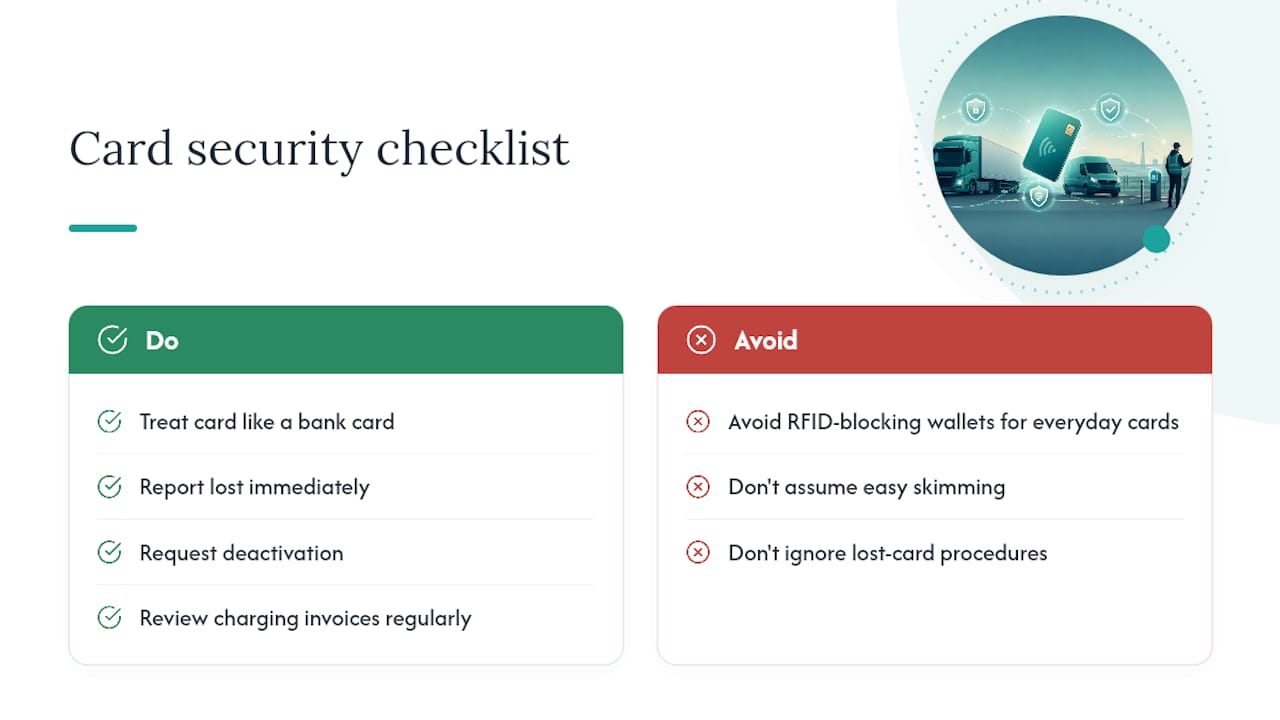
Treat your RFID card exactly like a bank card. Report it lost immediately, request deactivation, and review your charging invoices periodically. If a charge looks wrong, contact the operator with the session time and charger ID; most resolve billing anomalies within days once you flag the specific transaction.
What Swift Charging has learned from RFID rollouts
Fitting RFID access into a workplace or fleet installation isn’t just a hardware decision. It’s a provisioning question: who gets a card, how quickly a lost one gets replaced, and how driver-level data feeds back into invoicing. Get that wrong and hosts end up fielding support calls instead of running a smooth charging scheme.
— Swift Charging
How Swift Charging supports RFID credential programmes
Getting RFID right at scale means more than handing out cards. Swift Charging designs, supplies, and provisions RFID-enabled charge points as part of full workplace and fleet installations, then manages driver assignment, replacement policy, and ongoing reporting so hosts aren’t left chasing access issues themselves.
For businesses running fleet or workplace charging, or considering it, the practical next step is a site survey to establish what hardware and access setup actually fits your operation, as explained in detail by EV Charger Installation | Oakland & Macomb County. Swift Charging supports commercial installations including Chichester, Eastbourne, Farnborough, Farnham, and Portsmouth, covering everything from initial feasibility through to long-term management. Get in touch to discuss a pilot scheme or request a survey for your site.
Where to check activation steps and coverage
For network-specific detail, check the operator’s own RFID activation guidance, their coverage map, and contactless smart card standards for token format background.
Sources
Recommended